How to Connect Keitaro to CIPIAI: Postback, Offer and Campaign Setup
Connect Keitaro to CIPIAI in 7 steps: global postback, status tokens, the built-in Cipiai.com template, zone_id tracking and a test conversion.


CIPIAI is already in Binom's affiliate network catalog, so half of this setup is picking a template instead of typing parameters by hand. The other half is where campaigns usually lose data: the postback tokens on the CIPIAI side and the zone token on the offer URL. Below are seven steps, from copying the postback in Binom to pasting a campaign link into your traffic source, with a screenshot of every screen you'll touch.
A Binom postback for CIPIAI is a server-to-server request that CIPIAI sends to your Binom tracker each time a conversion is recorded or changes status. It carries the Binom click ID (cnv_id), the payout and the status (cnv_status), so Binom can attach the conversion to the exact click, source and zone that produced it. You set it once as a global postback in CIPIAI Tracking Tools, and every flow can reuse it.
Data moves in two directions. Binom passes its click ID to CIPIAI through the offer URL; CIPIAI returns that click ID with the conversion through the postback.
Before you start, have a working Binom install with a tracking domain and an approved CIPIAI webmaster account.
Open Settings → Tracking links in Binom, scroll to Postback URL and click Copy. It looks like this:
https://your-binom-domain/click?cnv_id={network_token}&payout={payout}
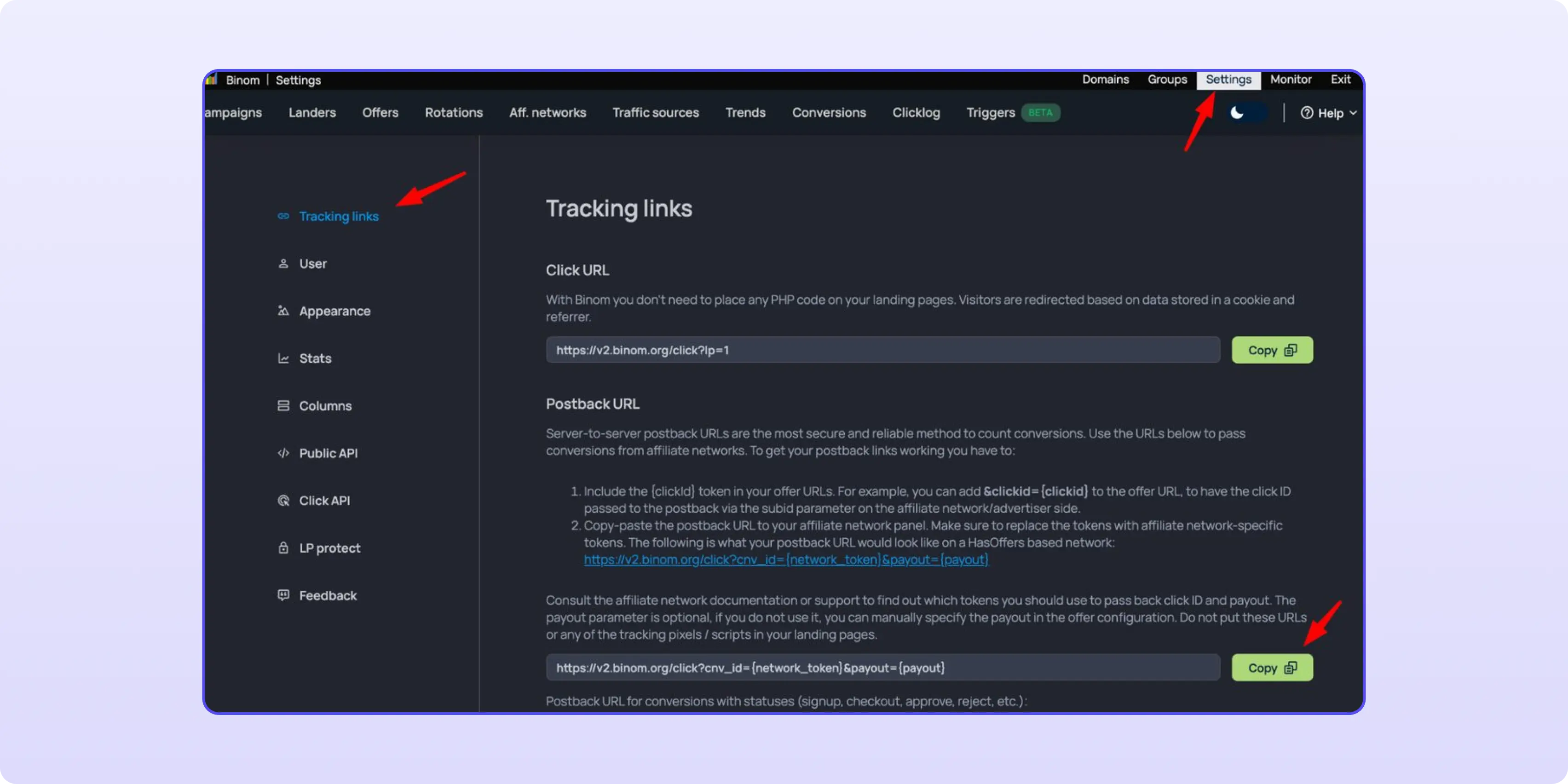
Copy the URL exactly as your Binom shows it. The domain and path differ between installs, and a postback sent to the wrong path never reaches the tracker.
In your CIPIAI account go to Tracking Tools → Postback → Global and paste the URL. Replace the placeholder tokens with CIPIAI tokens and add the status at the end:
https://your-binom-domain/click?cnv_id={{click_id}}&payout={{payout}}&cnv_status={{goal_status}}
Tick Hold and Approve so Binom shows a conversion the moment it happens and again when it's confirmed. Add Reject and Decline if you want unconfirmed conversions in your reports too.
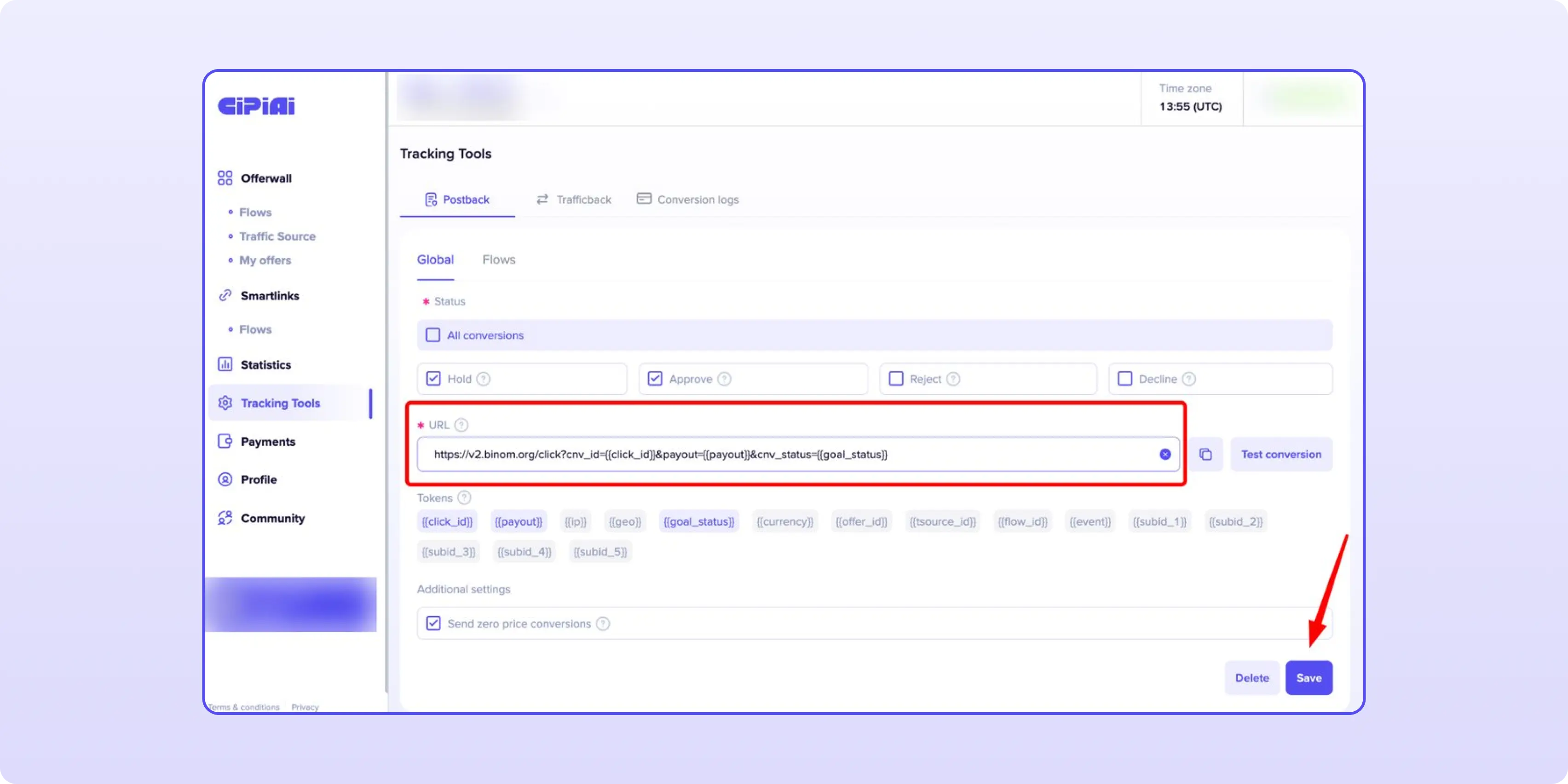
Click Test conversion, wait for the success message, then click Save. Binom's postback docs also accept cnv_currency if you want the payout currency in reports; CIPIAI passes it as {{currency}}.
A flow is how CIPIAI ties one offer, one traffic source and one postback together.
1. Open Offerwall, pick the offer and start a new flow.
2. Choose an existing traffic source or create one.
3. Name the flow so you can find it later, e.g. "VPN US Propeller Binom".
4. In the Postback field, select the global postback you saved in Step 2.
5. Click Submit for moderation.
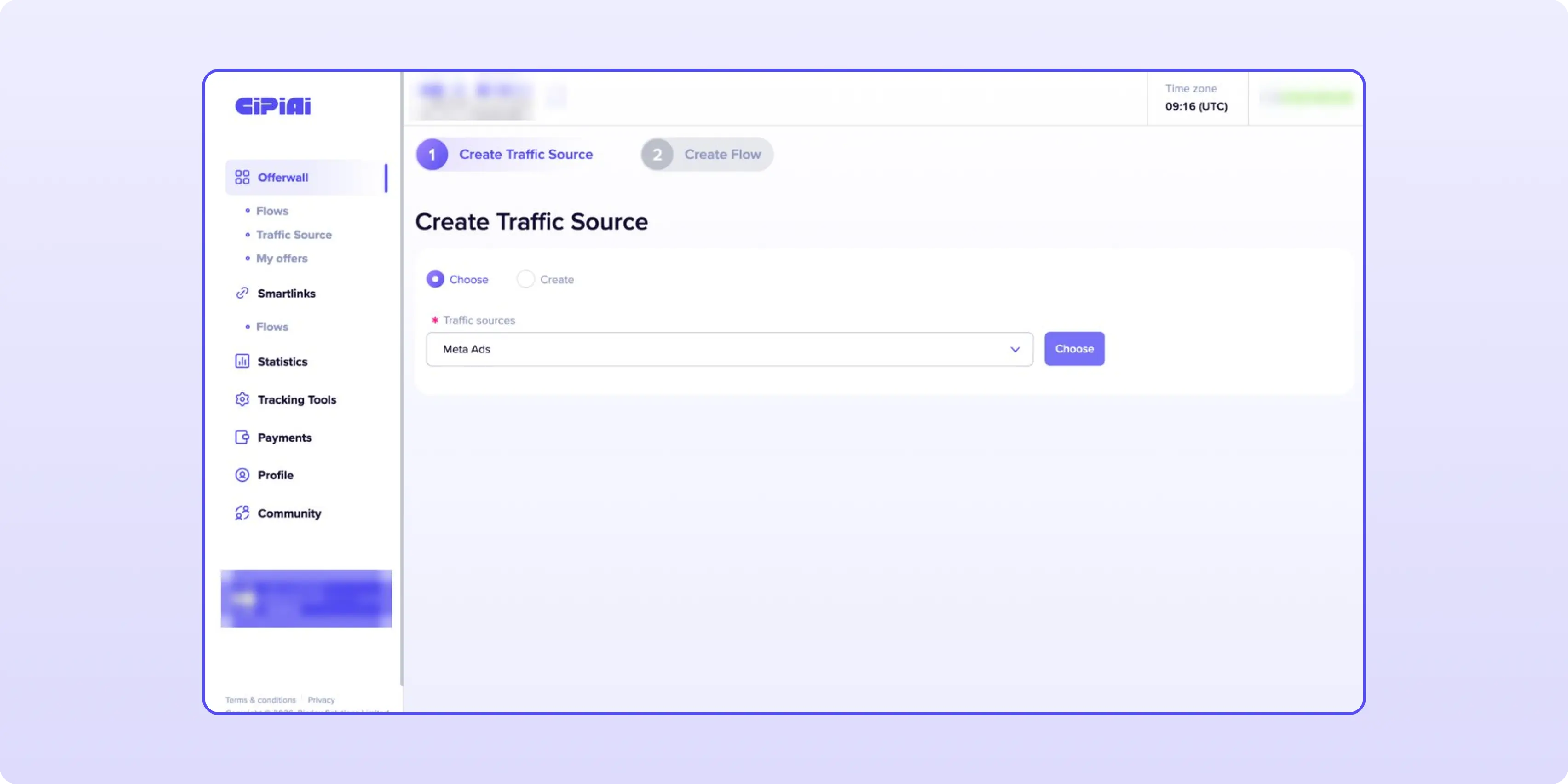
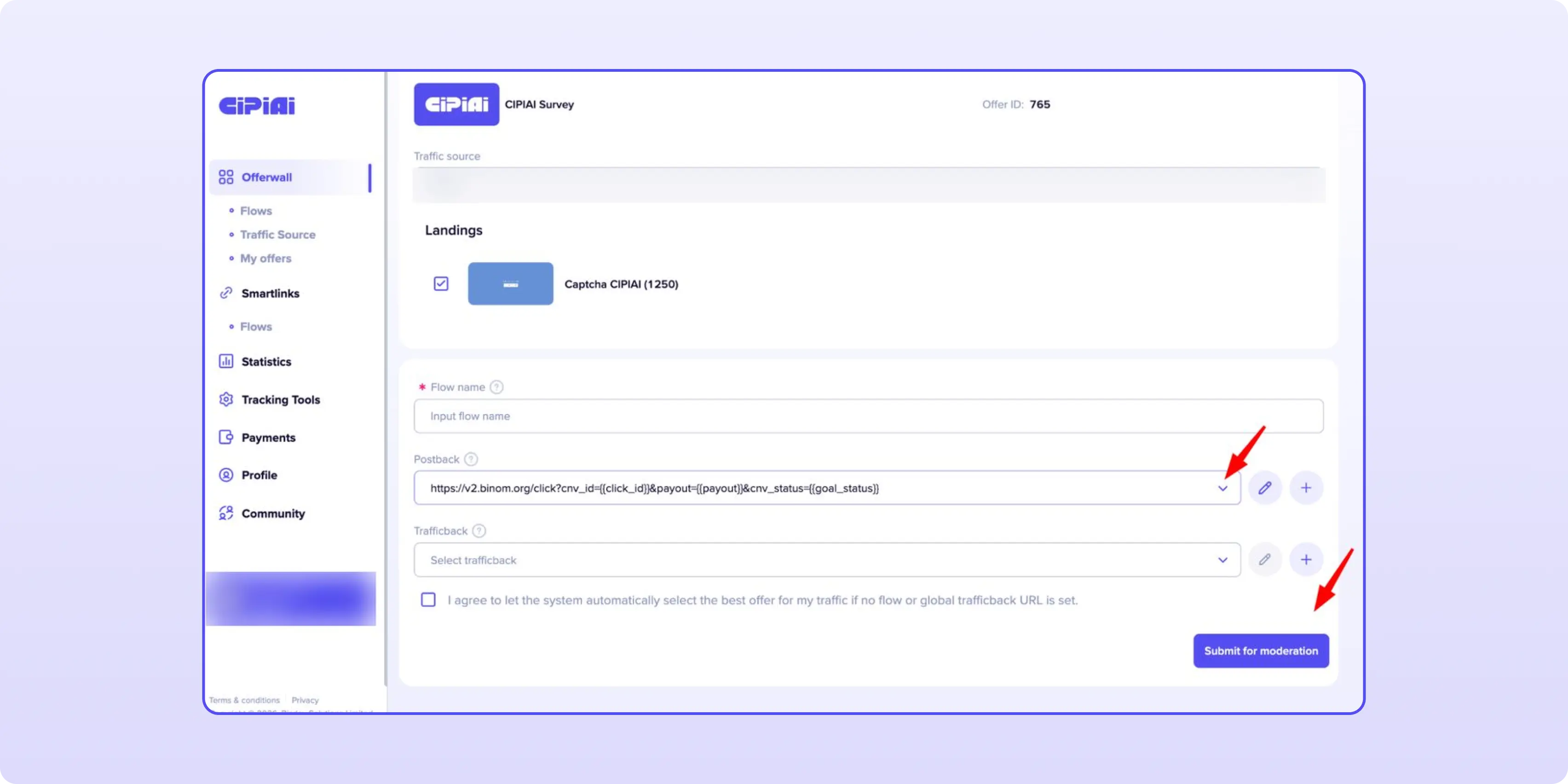
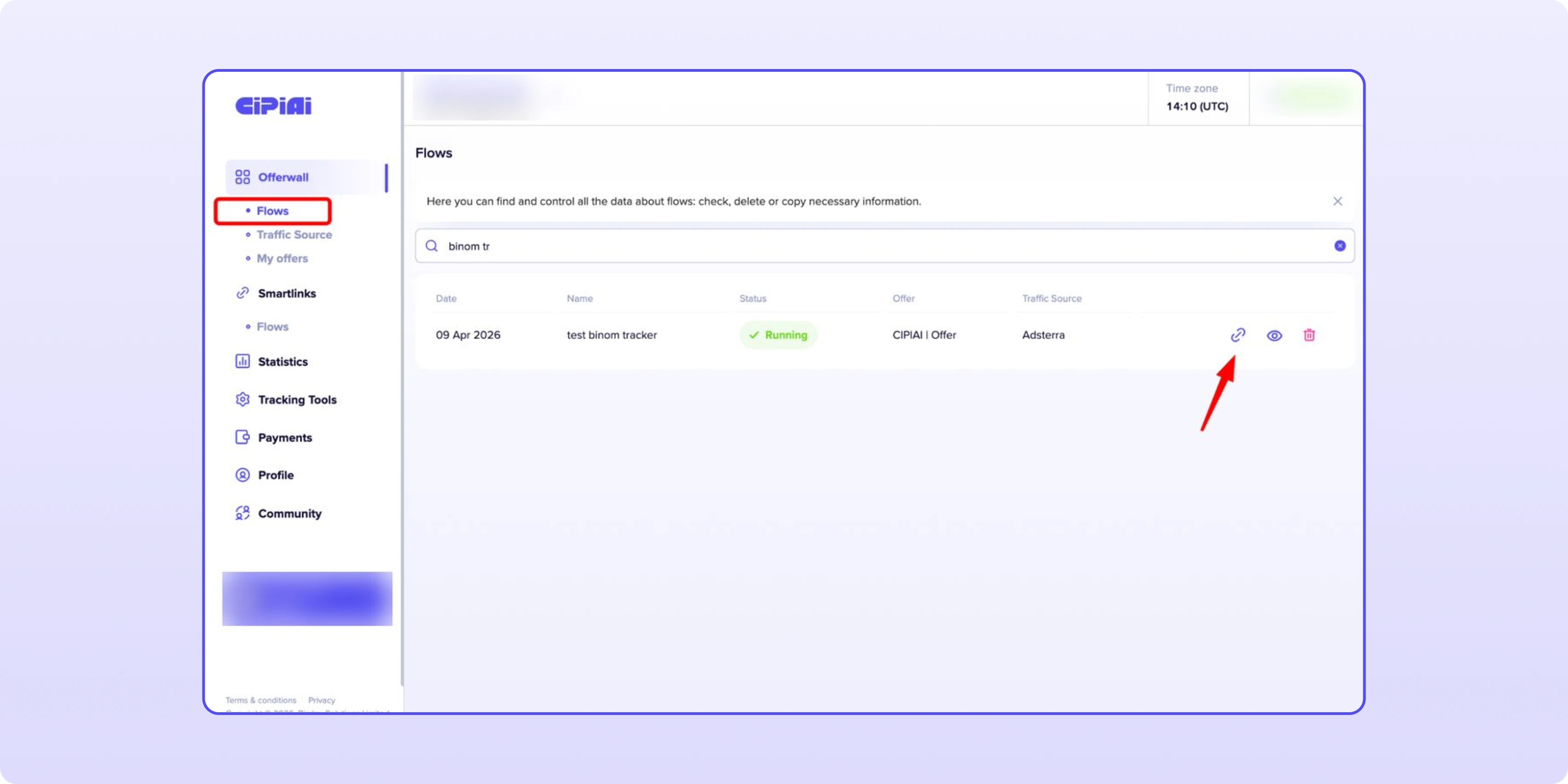
Once the flow is approved, go to Offerwall → Flows, find it by name and click the link icon to copy the tracking link. You'll need it in Step 6.
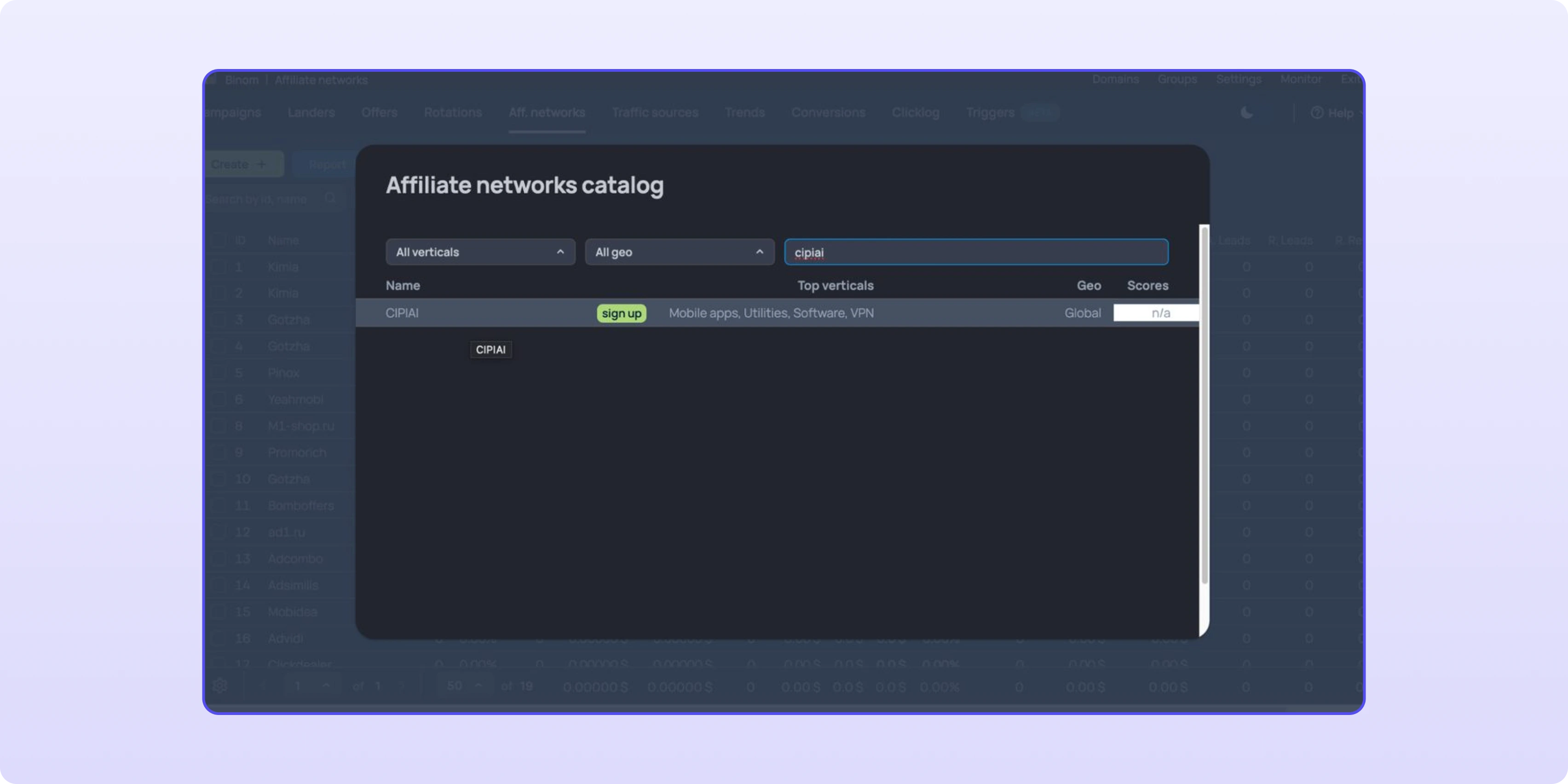
Go to Aff. networks → Create in Binom and click Load from catalog. Type "cipiai" in the search, pick CIPIAI and the form fills itself:
{offer_url}?click_id={clickid}. Binom appends this to every CIPIAI offer URL, which is how your click ID reaches CIPIAI and comes back in the postback.
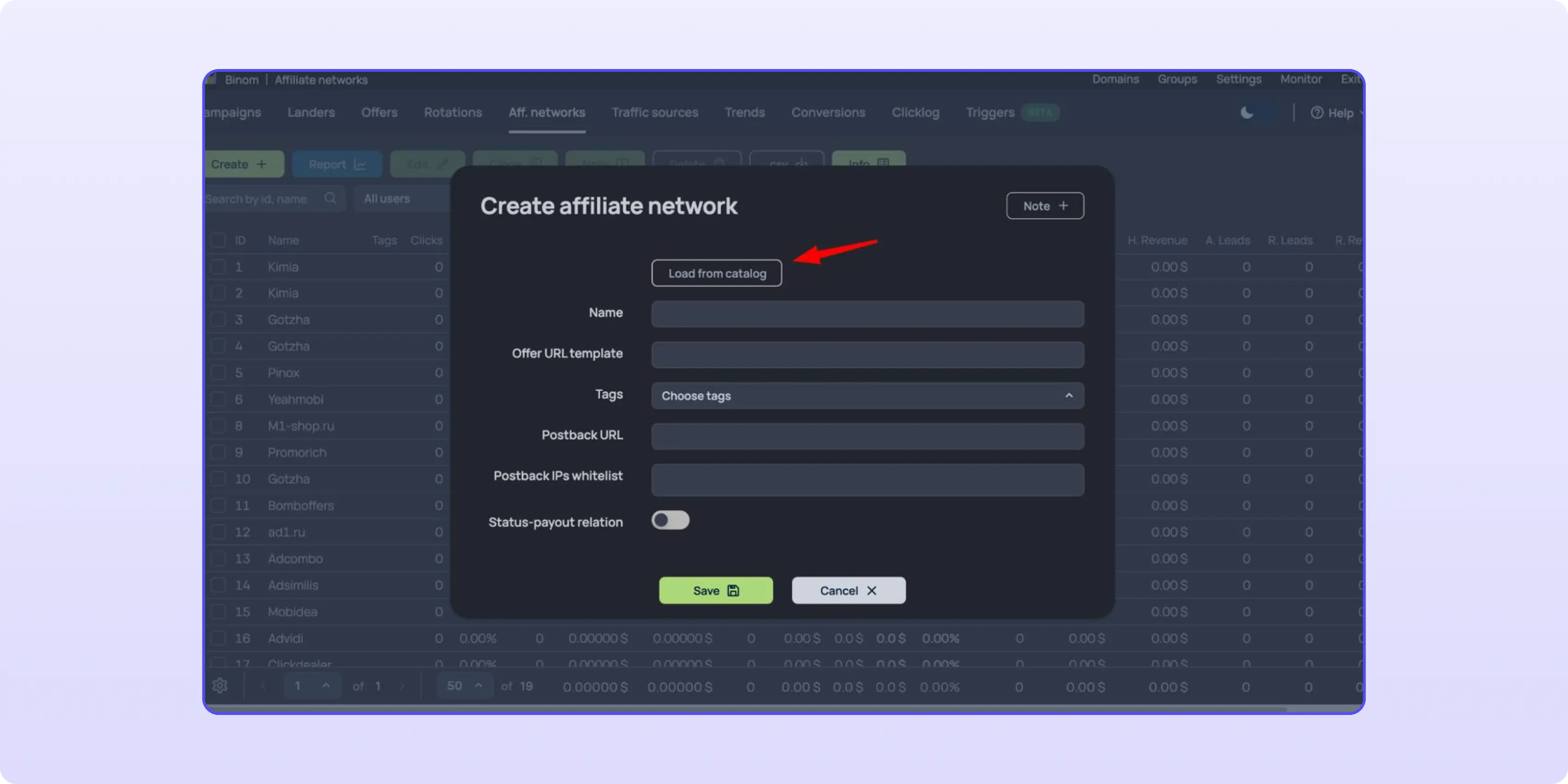
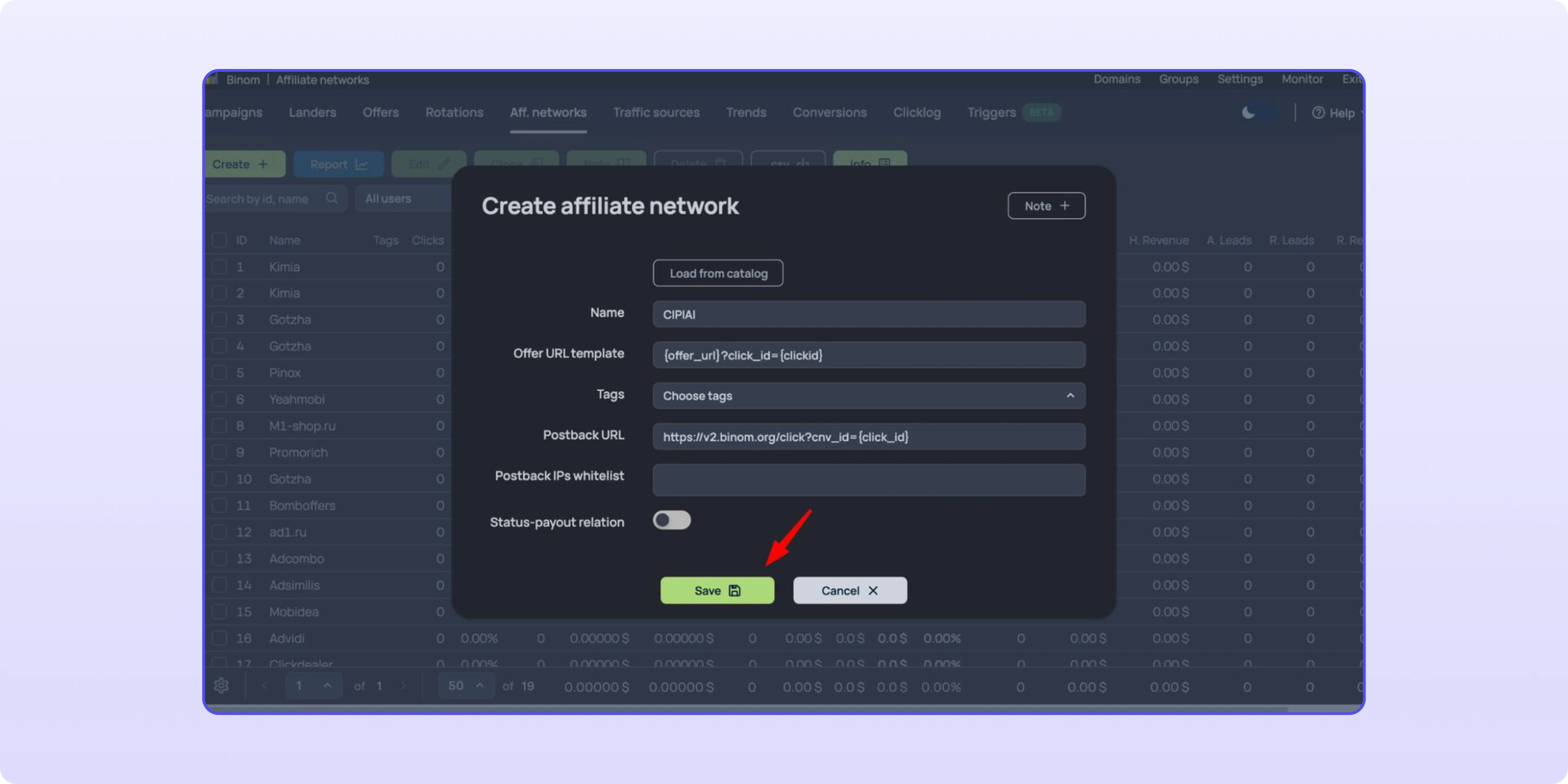
Leave Status-payout relation off: CIPIAI sends the payout in the postback. You only add the network once per Binom install.
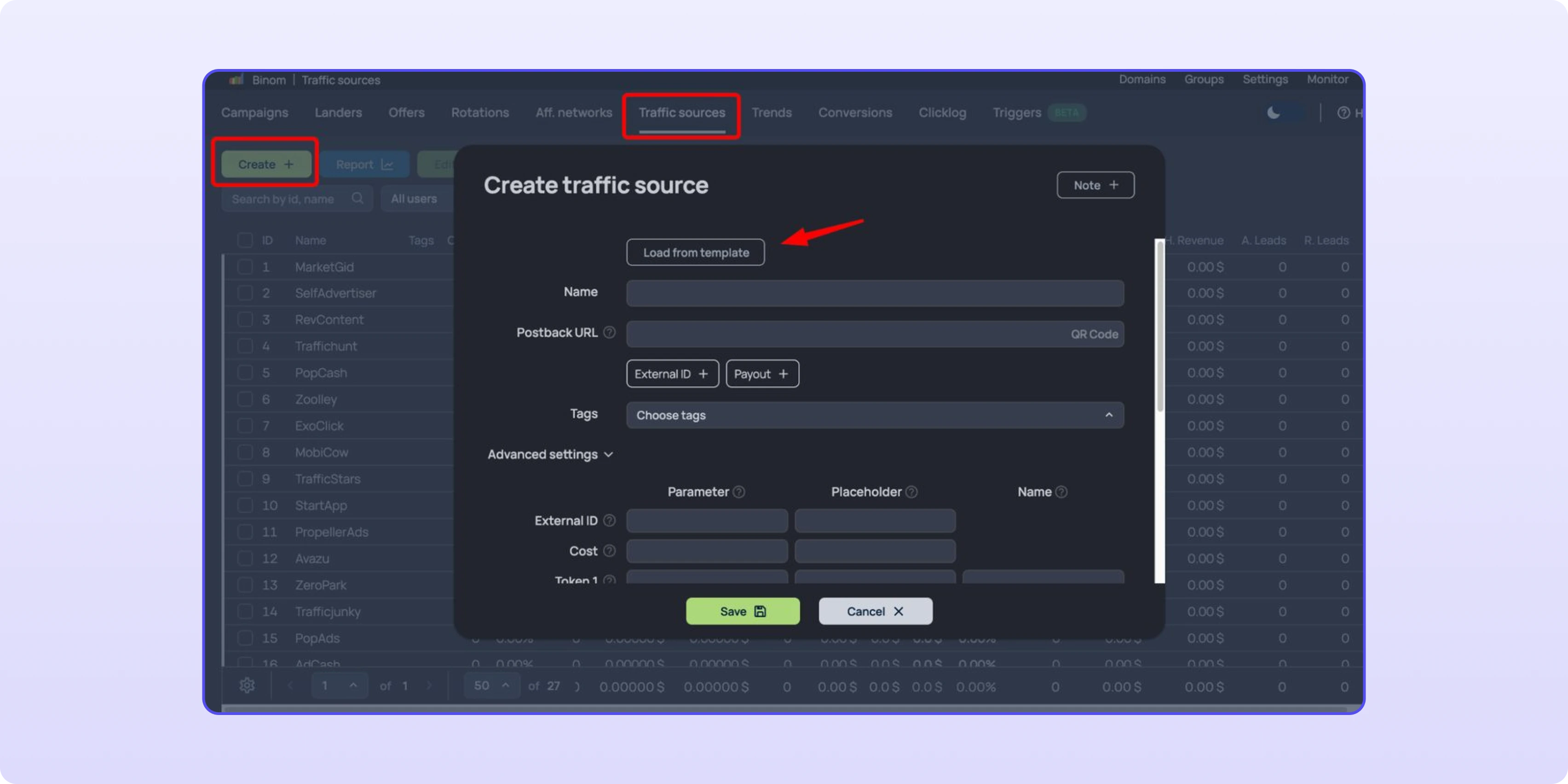
Open Traffic sources → Create → Load from template and pick the network you buy from, for example PropellerAds. The template fills in the postback to the source, the External ID, the cost and the tokens.
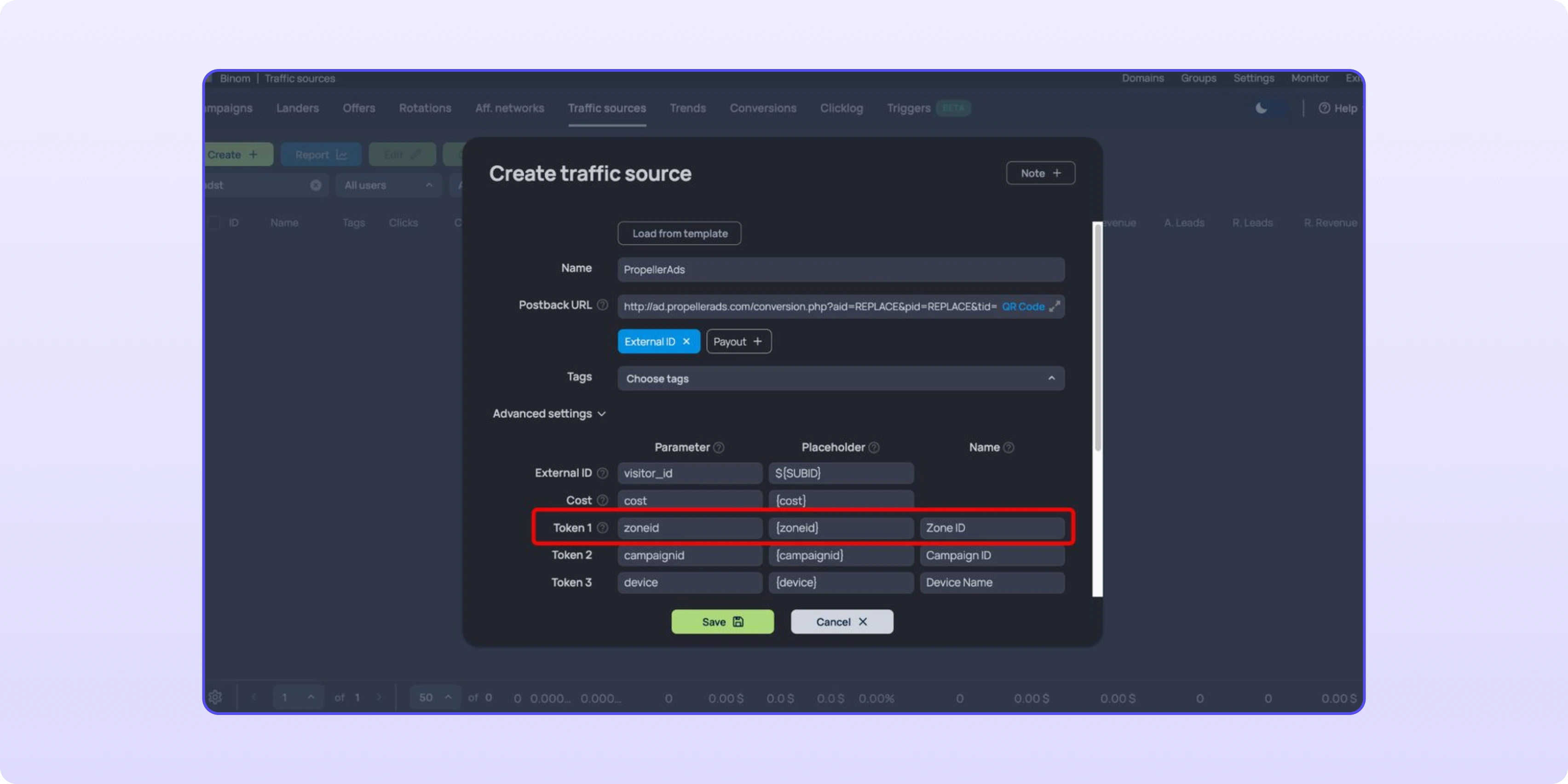
Open Advanced settings and find the token that carries the zone. In the PropellerAds template it's Token 1: parameter zoneid, placeholder {zoneid}, name Zone ID. Remember the token number; you'll use it in the next step.
Create the CIPIAI offer in Binom
Open Offers → Create and fill in:
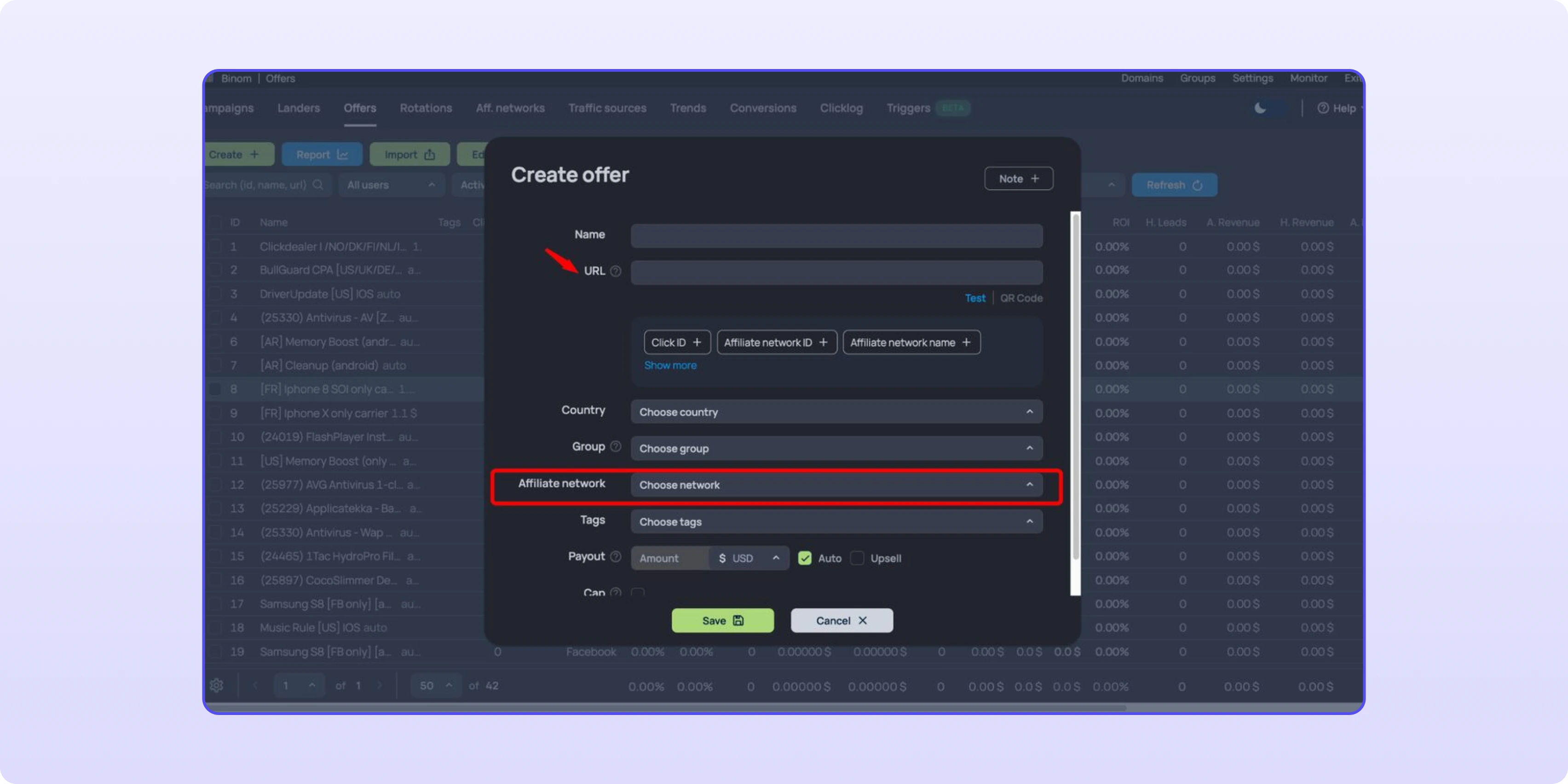
Add zone_id={t1} to the end of the flow link so CIPIAI statistics show which zone, placement or publisher each conversion came from:
https://your-cipiai-flow-link/f/8d18a04b-...?zone_id={t1}
{t1} is Binom's macro for Token 1 of the traffic source. If your source keeps the zone in another token, use its number: {t2}, {t3} and so on. On pop and push traffic, zone-level data is what lets you blacklist losing zones quickly, which our popunder ads guide covers in more detail.
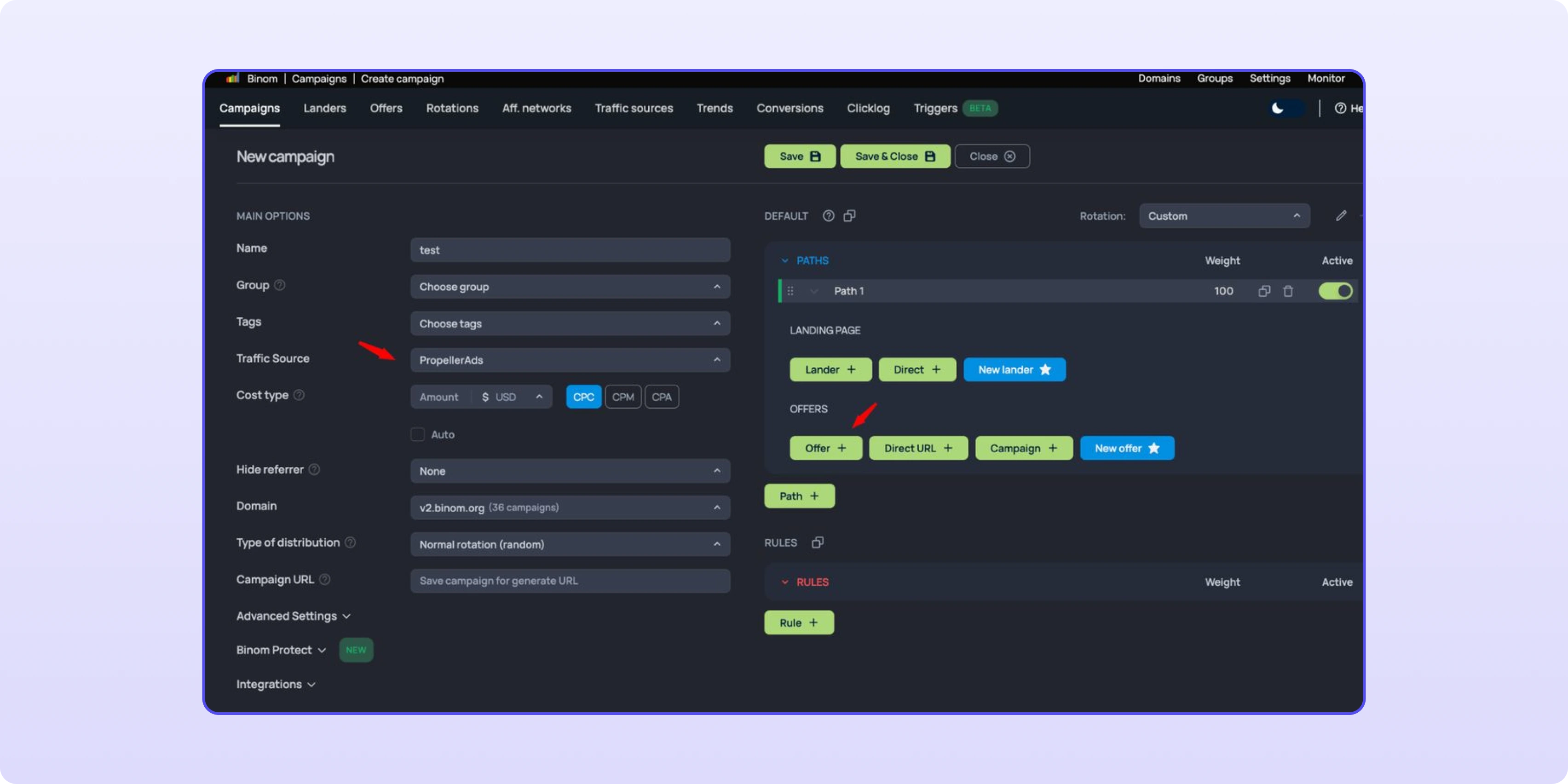
1. Go to Campaigns → Create.
2. Enter a campaign name, select the Traffic Source from Step 5 and pick your tracking Domain.
3. Under Paths, click Direct if you run without a landing page (or Lander if you use one), then Offer and add your CIPIAI offer.
4. Save the campaign. Binom generates the Campaign URL; click Copy link and paste it into your traffic source as the destination URL.
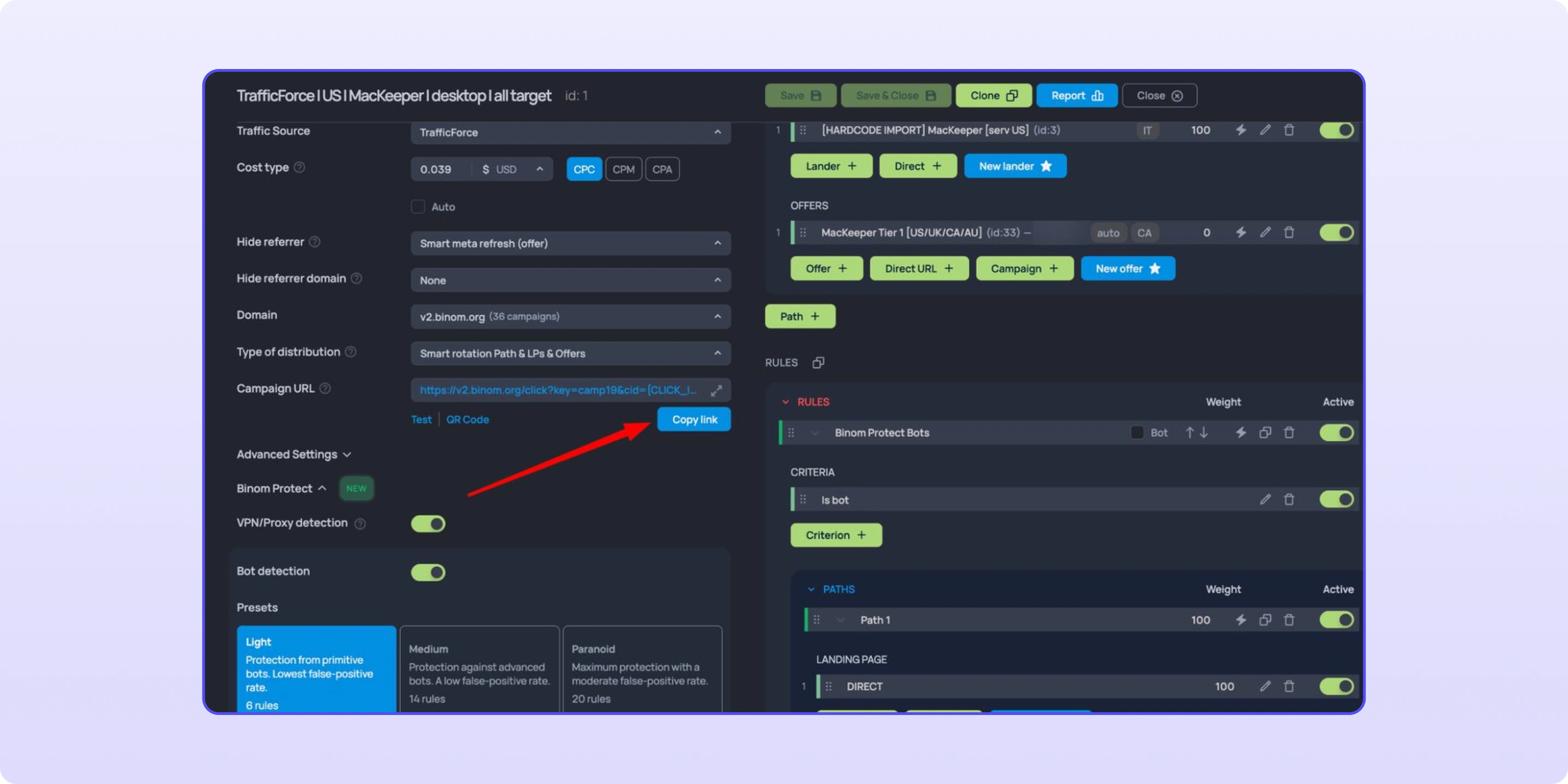
The chain is complete: traffic source → Binom campaign → CIPIAI flow → offer, with conversions flowing back to Binom through the global postback.
Yes. CIPIAI is in Binom's affiliate network catalog under Aff. networks → Create → Load from catalog. The template adds click_id={clickid} to every CIPIAI offer URL automatically.
In Tracking Tools → Postback → Global. A global postback applies to every flow you link it to, so you set it once and pick it from the list when creating each new flow.
{{click_id}}. CIPIAI receives the Binom click ID through the click_id parameter in the offer URL and returns it in {{click_id}}, which Binom reads as cnv_id.
{t1} is Binom's macro for Token 1 of the traffic source. In templates like PropellerAds, Token 1 carries the zone ID, so zone_id={t1} passes the zone to CIPIAI statistics.
Only if you want them in your reports. Hold and Approve are enough to track revenue; adding Reject and Decline shows which sources or zones produce conversions that don't get confirmed.
Set up the global postback once, confirm one real conversion in Binom, and only then clone the campaign across sources and GEOs. Running Keitaro instead? The same setup is in our Keitaro postback guide. CIPIAI runs direct tech offers (VPN, utilities, extensions) and SmartLinks for mixed traffic, covered in our SmartLink guide. NET30 with autopayments, from $50 via payment services.
Register as a CIPIAI webmaster →


Bisdev Solutions Limited
Room 701, 7/F, Lucky Centre, 165-171
Wanchai Road, Wan Chai, Hong Kong China
Copyright © 2026. Bisdev Solutions Limited
All rights reserved