Best CPA Networks for VPN Affiliates in 2026: Ranked & Compared
Looking for the best CPA network for VPN offers? We ranked the top 5 networks by payouts, GEOs, and support quality — so you don't waste budget finding out the hard way.


Zero-click traffic, also called domain redirect traffic, reachesyour offer through an automatic redirect, so the visitor never clicksan ad and you have no ad click to judge a creative by. What you stillcontrol is where the traffic comes from, the zone list, and the offerthe redirect lands on. For VPN and utility CPI offers, match GEO andOS to each offer and write a kill rule (k × payout spent with noconversion) before launch, with the source's click ID returned inyour postback so the rule has data to run on.
Picture a buyer who moves to zero-click from push. On push they'dopen the creative report and sort by CTR, because the ad click showswhich title and image earn the visit. On zero-click the redirectfires on its own, so there's no ad click to judge the creative by.The decisions that matter shift to the source and the zone list, andto the offer you pair with each GEO and OS, right down to the pagethat offer opens with.
This guide walks through thosedecisions, from the first test to scaling, and ends with a self-servezero-click source worth testing. The general format comparison livesin VPNTraffic Sources in 2026: Push vs Pop vs Native, so wewon't repeat it here.
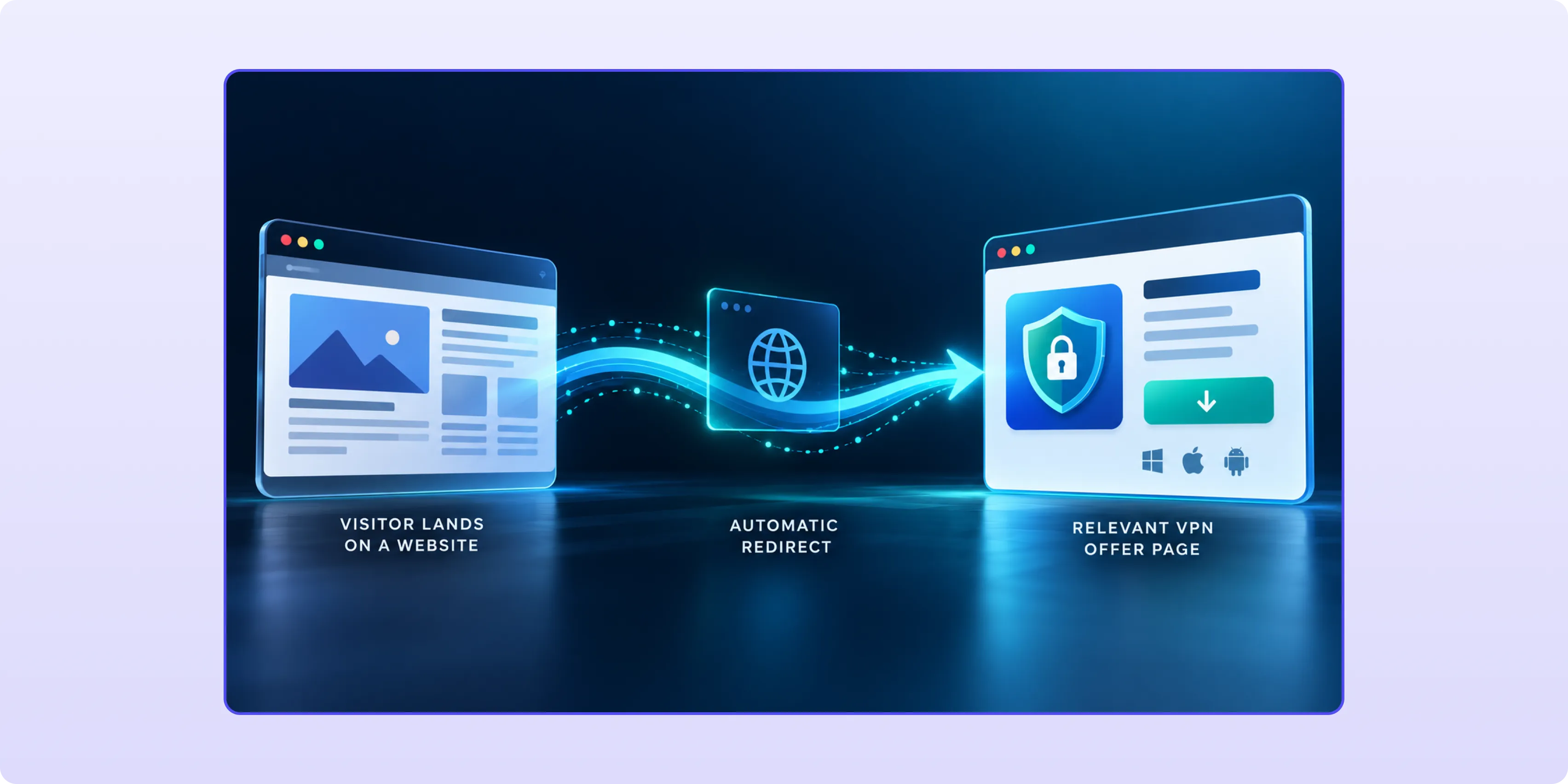
Zero-click traffic (also called domain redirect traffic) is traffic that lands on an offer through an automatic redirect, with no ad click from the visitor. The visit starts somewhere else, and the redirect takes the person to your page without asking them to do anything.
Sources described for this traffic include:
Descriptions of the source vary from one platform to the next, so ask what sits behind the inventory you buy.
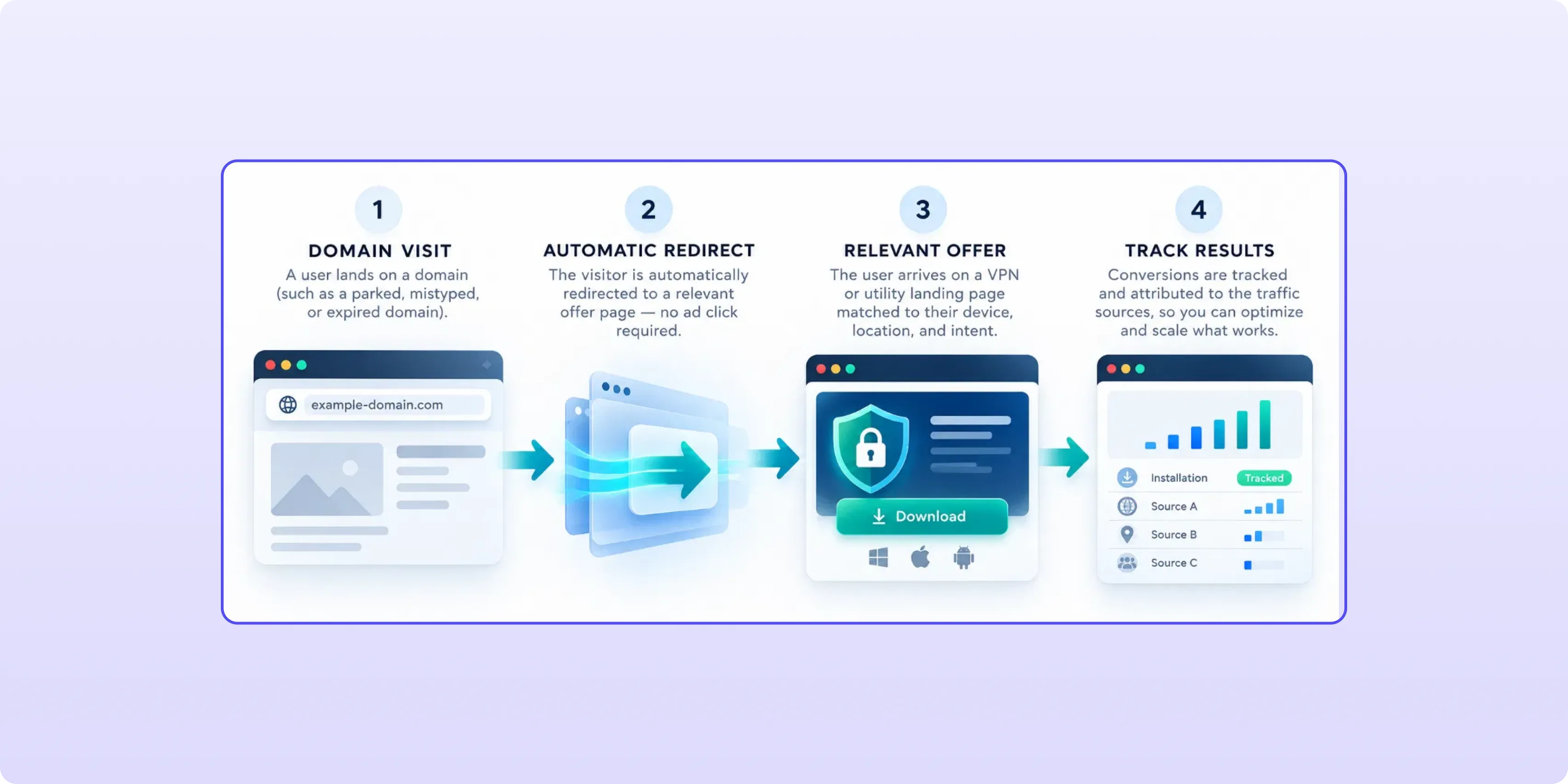
Sometimes. Domain traffic can carry a contextual signal: the domain the visitor typed or landed on. A visitor redirected from a domain about online privacy is a closer match for a VPN offer than one from an unrelated domain, and the same goes for a security-themed domain and an antivirus offer.
That signal is a starting hypothesis, not a guarantee. Descriptions of the format disagree on intent: some call it low-intent, others call domain traffic high-intent. A visitor who didn't choose your page can arrive with little intent, and bounce tends to climb when the page doesn't match what they expected. Junk placements can also share the pool with good ones. Domain relevance tells you where to start testing; your own conversions per zone settle whether it holds.
What triggers the visit shapes what you optimize first. The table below is a rough way to sort the three formats, a working simplification rather than an industry standard.
Everything except the ad click:
That last lever carries more weight than it looks. On a VPN or cleaner offer, the store button and a headline that matches the visitor's device are what the page has to get across first, and the page also has to deliver what the redirect implied.
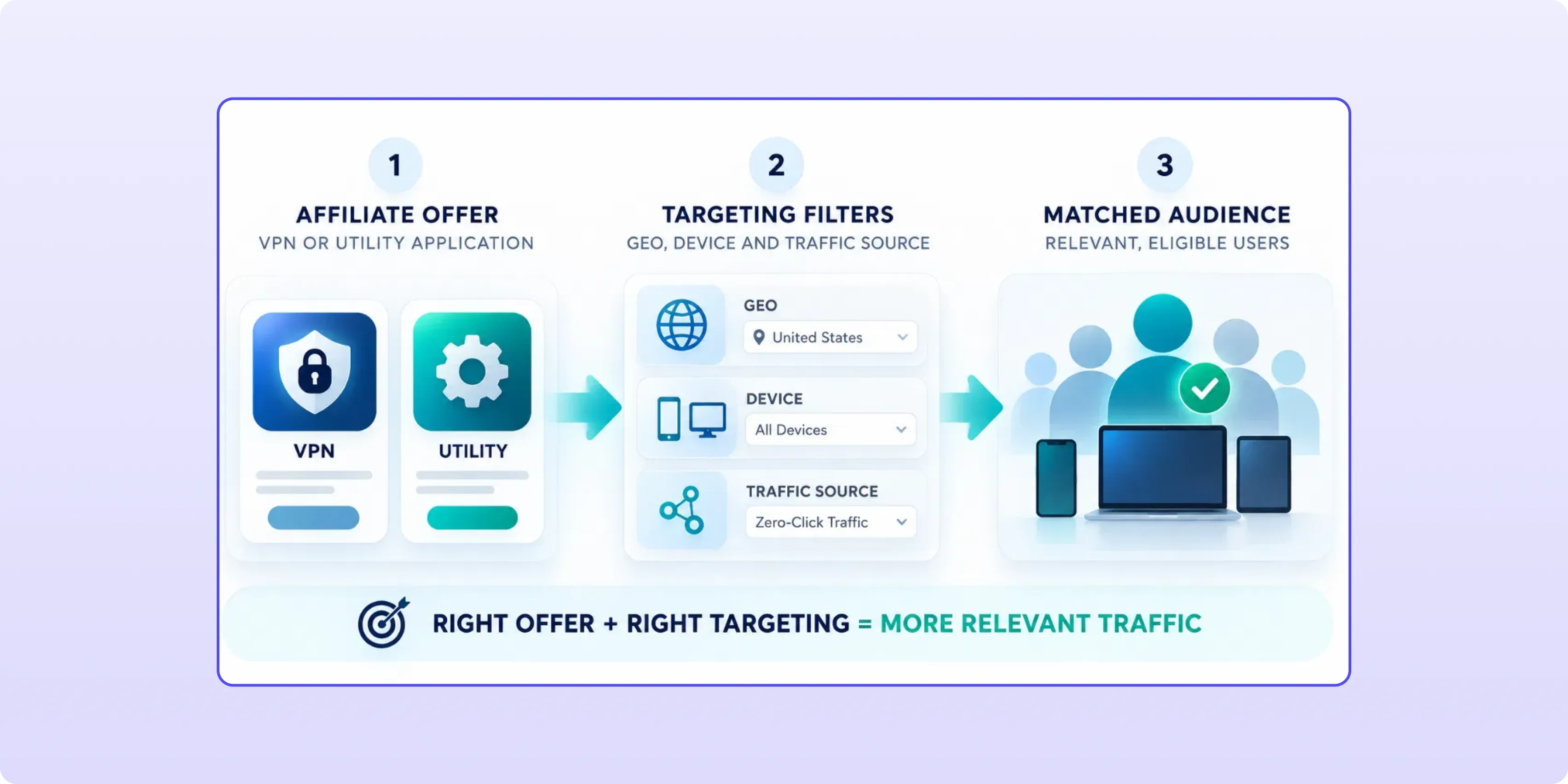
Read the offer page before you buy traffic for it: payout model, device and OS, the GEO list and allowed traffic types. Then check GEO and OS against what your source actually sends, because GEO lives in the offer. New VPN and BlancVPN share a vertical and a payout model, yet New VPN covers BR, MX and US and BlancVPN doesn't.
Here's a starting set from our offerwall. Payouts are in US dollars as listed on October 15, 2026; they change, so the offer page is the reference on launch day.
Check allowed traffic types on the offer page before launch.
We don't label any of these aszero-click ready. Test two or three offers on the same GEOs andcompare them zone by zone, since a single offer tells you about thatoffer and very little about the traffic. If you'd rather not pickoffers by hand, our smartlink is itself an offer with many offersinside it, built to send each visitor to an offer that matches theirGEO and device. Payout models and GEO lists for app offers get acloser look in MobileUtility and VPN App CPA Offers in 2026.
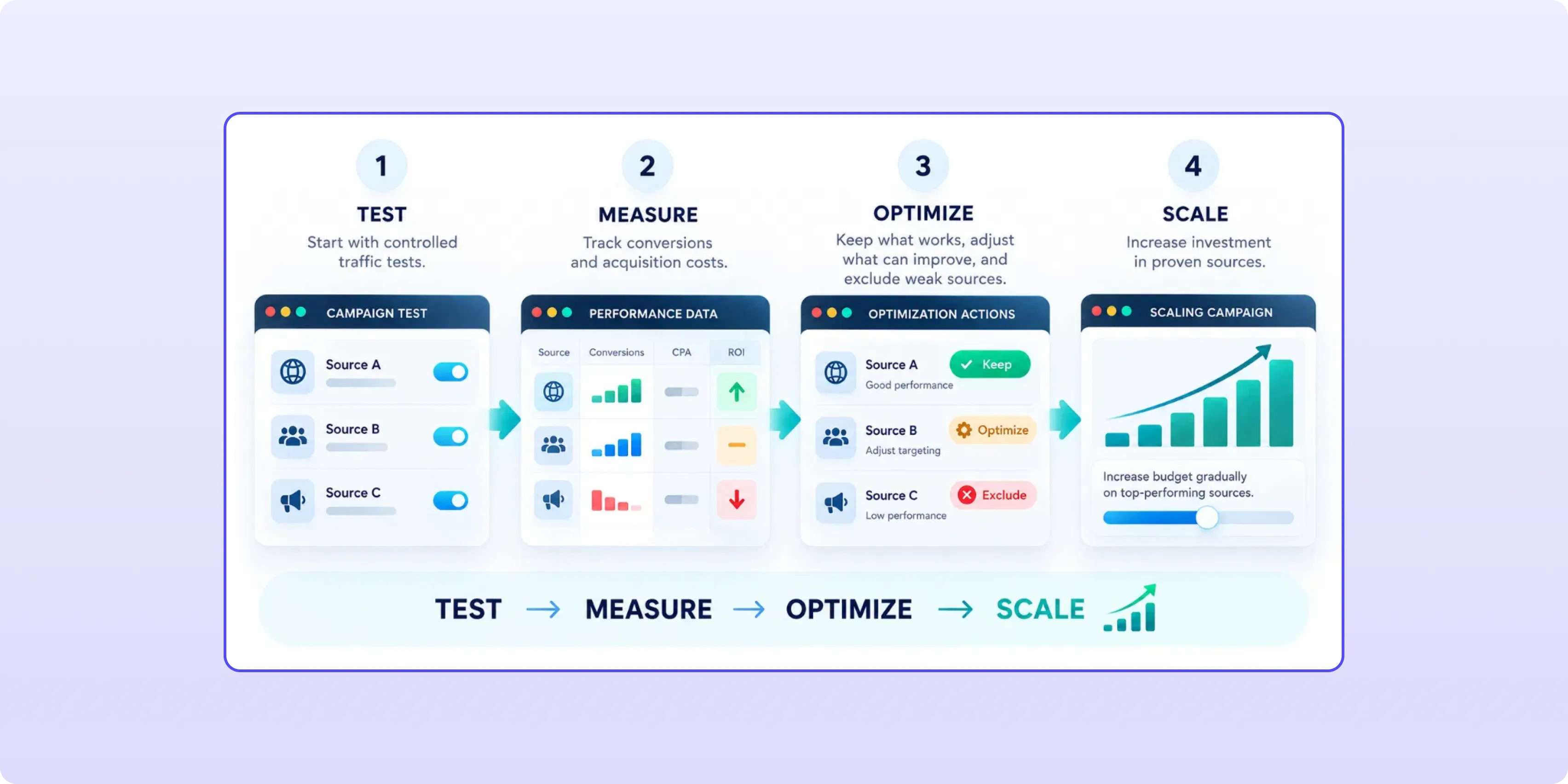
By conversions per zone and what each one cost against the offer's payout.
The kill rule, written before launch. If a zone has spent k × payout with no conversion, cut it. On New VPN that's k × $4.32. We're not giving you a k, because it depends on two things only you know: how much you'll pay to learn whether a zone works, and how long the path from redirect to installed app is on that offer. A larger k buys more certainty and costs more on dead zones, while a k set too low blacklists zones on a sample too small to tell a dead zone from an unlucky one. Count every conversion your postback reports, pending included, when you apply the kill rule; approved numbers are for scaling decisions, not for cutting.
Cut at the zone level. A traffic source is rarely bad end to end, so blacklist the zones that fail and keep the clean ones. Our advice: once a zone converts at a cost per conversion below the payout, whitelist it so your own automated rules can't cut it by accident. Lists go stale in both directions; re-test them on a schedule.
Pass the traffic source's click ID through your tracker to the offer, and send it back in a server-to-server postback when the install converts. Without that loop the kill rule has nothing to count. Here's a general setup; macro and parameter names differ between platforms, so take them from your source account and your tracker's template.
1. Point the zero-click campaign at your tracker's campaign URL with the source's click ID macro and, if the platform has one, a zone ID macro.
2. The tracker records both values and forwards the visitor to the offer link; how it passes its own identifier for later matching depends on its template.
3. The visitor installs, and the network's S2S postback reports the conversion to your tracker.
4. The tracker matches it to the original click and fires the source's postback with that click ID and the conversion status.
5. You read conversions and cost per zone, then apply the kill rule.
A placeholder link for step 1: https://[your-tracker-domain]/[campaign-path]?[click-id-param]=[source click ID macro]&[zone-param]=[source zone ID macro].
On our side, CIPIAI supports S2S postback and traffback; most networks offer something similar, so treat both as the minimum to check wherever you run. Conversion approval with us takes from one hour to 48 hours, worth remembering before you judge a fresh zone on approved numbers.
Only after the whitelist holds up onapproved conversions, and in small steps. A zone that pays back on atest budget can behave differently once more of your money is in theauction, because volume, competition and the mix of placements behindit all shift.
VPN and antivirus offers may be subject to geographic restrictions, traffic-source limitations and advertising compliance requirements. Approval depends on the rules of the affiliate network, the advertiser and the traffic platform. Before launching, verify the permitted GEOs, traffic types and landing-page requirements for each offer.
Advertisers may impose additional restrictions beyond those of the affiliate network or traffic platform. These can include approval requirements for popunder or redirect traffic, restrictions on landing-page content, and conditions affecting commission eligibility. For CPI and CPA offers, always review the individual offer terms before launching, as permitted traffic sources and payout conditions can vary.
Both the affiliate network and the advertiser may impose requirements on traffic sources, landing pages and conversion eligibility. At CIPIAI, traffic flows are reviewed within 24 hours of submission, and each offer page specifies its traffic requirements. Check these conditions before launching to avoid rejected conversions or lost commissions.
Look for a platform that sells zero-click as its own format, with zone-level controls, S2S postback support or tracker integrations, and at least GEO and OS targeting.
Active Revenue is a self-serve advertising platform offering three primary traffic formats: Popunder, Zero-Click and Push. Advertisers can use these formats to reach audiences across different GEOs and devices, depending on campaign requirements and available inventory.
ActiveRevenue provides campaign targeting and zone-level optimization controls to help advertisers manage traffic performance. The platform supports integrations with Voluum, Binom and RedTrack for conversion tracking. Before launching a Zero-Click campaign, confirm the available targeting and inventory options with the ActiveRevenue team.
Results depend on the traffic you buy. ActiveRevenue has operated a self-serve advertising platform since 2013 and works with over 15,000 affiliates. Create an Active Revenue account and pair it with VPN and utility offers from the CIPIAI offerwall.
Zero-click (or domain redirect) traffic reaches an offer through an automatic redirect, without the visitor clicking an ad. Sources described for it include typed, mistyped, parked or expired domains and publisher sites with zero-click placements, and descriptions vary between platforms. With no ad click to judge, you optimize the source, zones and the offer page.
Yes, as a test. A free install with a short path suits a visitor who arrived without choosing to, but intent can be low. Check allowed traffic types on each offer page, match GEO and OS, and run several offers side by side on the same zones.
It can give you a better starting point: privacy- or security-themed domains are a closer match for VPN and antivirus offers than unrelated ones. Treat it as a hypothesis and let conversions per zone confirm it.
Cut a zone once it has spent k × the offer's payout with no conversion, and write that rule before launch. On a $4.32 CPI offer that's k × $4.32; k is your call, based on what you'll pay for data and how long the install path is.
By mechanics, no: a popunder opens a page behind the current one, while zero-click redirects the visitor to the offer with no interaction at all. Some platforms sell both side by side, so ask what inventory sits behind a specific zero-click campaign before you buy it.
Zero-click traffic takes away the ad click, and with it the click you'd judge a creative by. What's left are decisions you make before launch: which source and offer each GEO and OS gets, and at what k × payout a zone gets cut, with the source's click ID coming back in your postback so that rule can run. Make them in advance and your first spend buys zone data; skip them and it buys a bill.
Each offer in the CIPIAI offerwall shows its GEO list and payout model on its own page. Pick two or three offers that share GEOs, run them on the same zone list, scale what holds up, and let conversions per zone decide what stays.


Bisdev Solutions Limited
Room 701, 7/F, Lucky Centre, 165-171
Wanchai Road, Wan Chai, Hong Kong China
Copyright © 2026. Bisdev Solutions Limited
All rights reserved