Undetectable Browser: Stability, Security, and Anonymity
A concise look at Undetectable Browser — its core tools, why it’s useful for CIPIAI affiliates, and how to claim your partner discount.


Running VPN and utility offers across several ad accounts is mostly a coordination problem. The offer, GEO, device, tracking route, and account environment have to tell the same story. When one piece drifts, a US Android campaign may run from a profile set to another region or carry old cookies. The data gets muddy fast.
Separate account environments cut accidental overlap and give the team a cleaner test. Weak creatives and policy problems remain.
Worth stating plainly: Google Ads and Meta prohibit using multiple accounts to evade policy enforcement or ad review, and a separate browser environment does not change that. Check the terms of the platform you buy on. What follows is about keeping campaign data clean, not about getting around policy.
VPN and utility offers convert in different ways. A VPN campaign may optimize for a trial, then earn money only when the user subscribes. A utility offer might pay for an install or require an in-app activation. Mix those flows and a weak result becomes hard to explain.
The most useful unit of work is one launch row with a single offer, GEO, device segment, tracking route, and account environment. Basic, yes. It is also the row people skip when they are in a hurry.
Before the first login, define account environment consistency. Record the proxy, browser language, profile ID, timezone, and operator. When CR drops, nobody has to guess which setup was running.
Split VPN campaigns when the market changes the offer itself. Price, subscription terms, landing language, and approved claims can vary by country even when the app is identical. A US subscription test and a LatAm test should not share a row because both promote the same VPN.
Subscription terms also come with disclosure duties. A VPN offer that converts on a free trial and bills afterwards is a negative-option sale: the US (ROSCA, plus state auto-renewal laws) and the EU (consumer-rights rules) require the price, billing terms, and how to cancel to be clear before the user confirms. Those rules differ by market and keep changing, so check the current requirement for the GEO instead of copying a landing page that passed review last year. Buried renewal terms can lead to chargebacks and rejected landing pages in ad-platform review.
Be precise about smartlink routing for CPA affiliates. A smartlink chooses a destination based on GEO, OS, device, or offer availability. That happens after the click and is separate from the browser session used to manage the account.
A small launch map is enough:
The smartlink routes traffic. The browser profile is where the team works with the account.
Utility offers are often less forgiving about devices. A cleaner, antivirus app, ad blocker, or browser extension may support only certain operating systems and versions. Send the wrong traffic and the click is already wasted, long before the landing page gets a fair chance to convert.
The message changes as well. VPN creatives often talk about connection security, location access, or public Wi-Fi. A utility creative usually works better when it sticks to one job, such as blocking unwanted ads or organizing files. Alarmist infection warnings may attract attention, but they invite moderation problems and say little about real product demand.
Keep different records for the two flows:
Two offers can sit in the same vertical and still need different setups.
Each ad account needs its own browser profile and proxy assignment. Keep its cookies, cache, launch history, and working notes together. Creative IDs, domains, UTM templates, spend caps, and conversion events should point back to that same row.
Afina runs each Chromium profile with separate browser data and individual proxy settings. Timezone and browser language can follow the IP or be set manually. WebRTC can run through a SOCKS5 proxy when that proxy genuinely supports UDP. If the workflow does not use WebRTC, it can be disabled. Supported proxy types are HTTP, HTTPS, and SOCKS5 in IPv4 format.
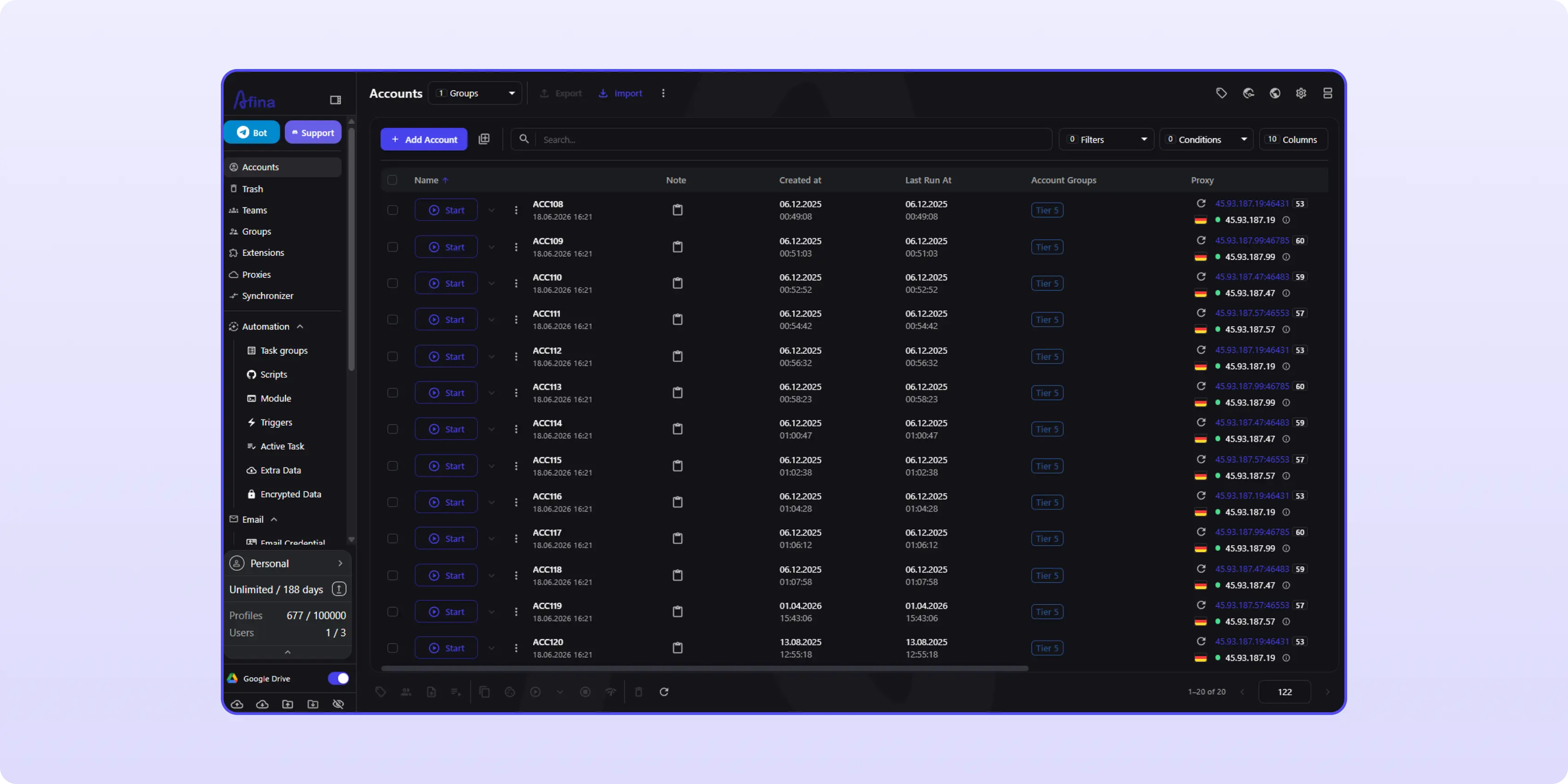
A poor proxy stays poor. Check the outgoing country and WebRTC result before the first account login. And if UDP matters, test it. A SOCKS5 label is not proof that the provider carries UDP traffic.
Start with the offer requirements, not the browser. Choose the GEO and conversion event first. Then connect the ad account, tracking route, and profile.
1. Create a row with the offer name, offer ID, GEO, OS or device segment, and conversion event
2. Add the ad platform and account ID, followed by the creative ID, test budget, and operator
3. Enter the direct link or smartlink with its source ID and fallback rule
4. Assign a dedicated IPv4 proxy and check the outgoing country
5. Create the Afina profile with the expected timezone, language, and stable fingerprint settings
6. Open the account only from that profile and record the first login date
7. Run a small test and inspect the tracker before raising spend
Blank profiles created "for later" are a bad habit. Two weeks on, nobody remembers which GEO they were meant for, and the wrong account gets opened in one of them.
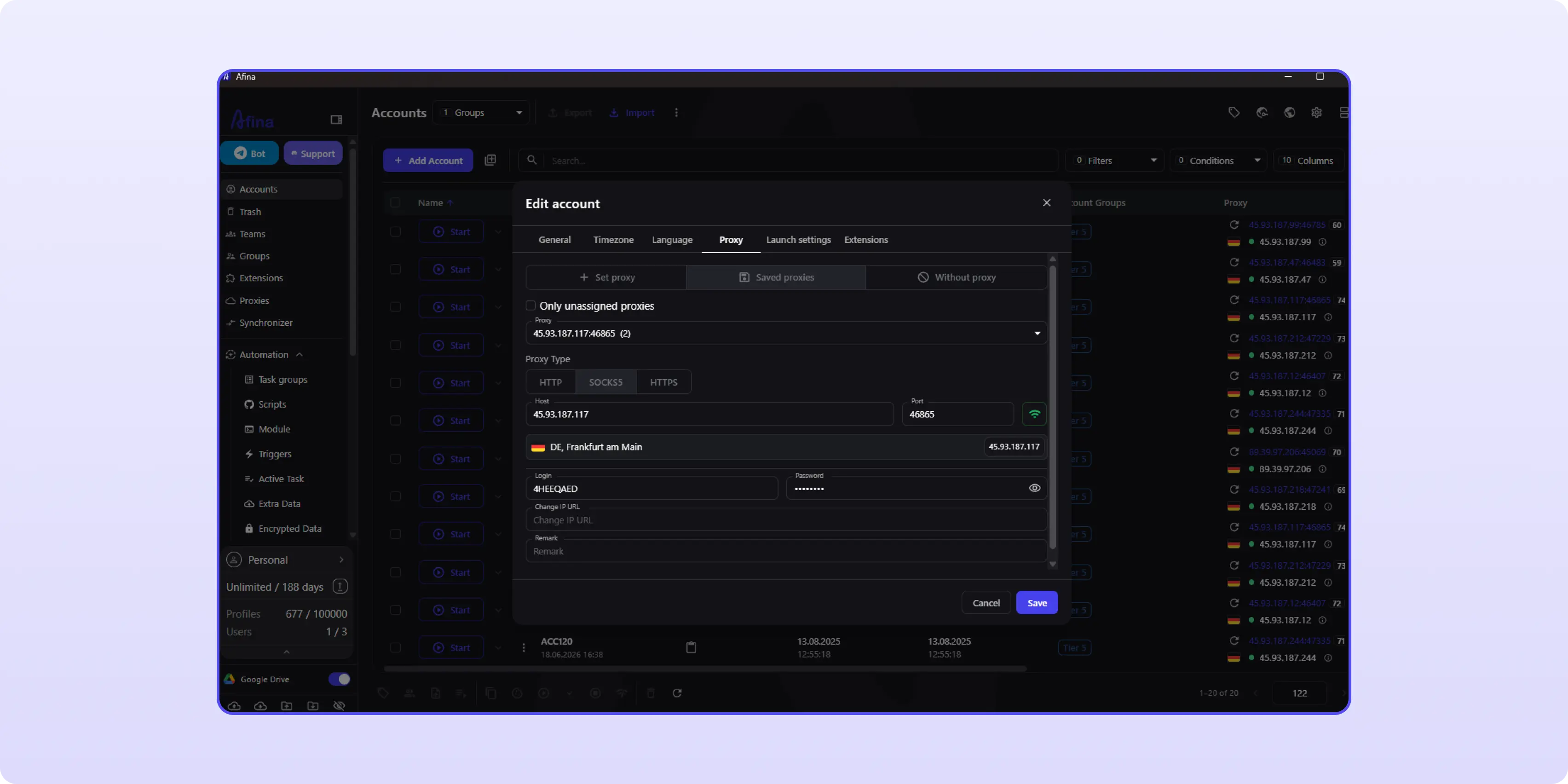
Keep billing records in the control system with limited access. A reused card, copied billing note, or unrelated shared domain can connect work that looked separate in the browser. Profile isolation cannot repair that trail.
The tracker shows how traffic behaved. The working log shows how the account was operated. Keep those jobs separate.
For the offer, watch CTR and CR, then check EPC, payout, and the final conversion event. In the environment log, keep the profile ID, proxy country, IP-check result, first login, and setting changes.
VPN campaigns may need separate numbers for trial starts and paid renewals. With utilities, watch install-to-activation or install-to-purchase. The first conversion can look healthy while the later flow loses money.
Use the same review order every time:
1. Open the test route and confirm that the right offer and landing page appear for the GEO
2. Compare results by OS or device instead of blending incompatible traffic
3. Check that the tracker received the expected source ID and conversion event
4. Review creative approval and policy warnings outside the conversion report
5. Open the environment log if the session or routing looks inconsistent
And write notes that another buyer can act on. "Bad traffic" is useless. "Android 14 traffic in MX produced installs but no activation event" gives the next person somewhere to start.
Routine checks suit automation when the script stops before it touches spend or chooses an offer. Afina no-code scenarios can open a profile, visit a URL, wait for an element, and repeat steps. Task groups run them across selected profiles and keep logs.
Before copying one flow across the whole workspace, look at behavioral signals in browser automation. Exact timing and the same page order in every profile can become a pattern of their own. Automate the dull checks. Leave campaign judgment with the buyer.
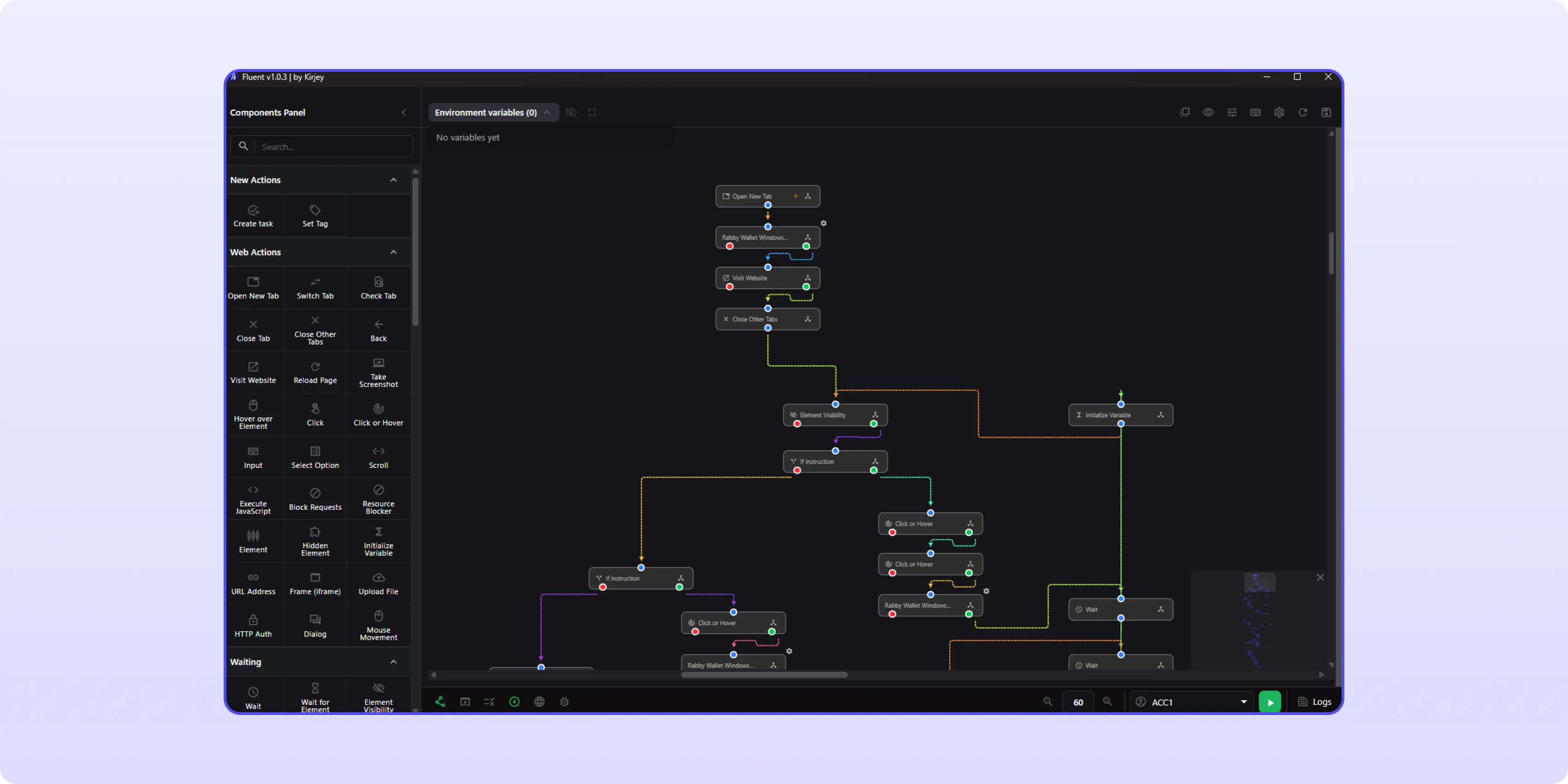
A useful pre-launch script opens the assigned profile, visits an IP-check page, saves the result, and stops. The buyer still judges the creative and decides whether to raise the budget.
The expensive mistakes are usually boring. A utility offer gets traffic from the wrong OS. A VPN profile still carries the language from last week's GEO. Someone copies a smartlink from the row above and sends the campaign to another offer. Now the data is noisy, but it still looks official enough to optimize.
Check these points before launch:
Save the check with a timestamp. If the numbers move tomorrow, compare them with a real setup instead of a half-remembered Slack message.
Start with one campaign row: one profile, one GEO, one proxy, one smartlink, and one responsible operator. Keep it boring. Once the chain works without mixed data, create the next Afina profile and run the next CIPIAI offer as its own GEO test with a separate environment log. A new Afina account receives access to the Base plan for 4 days. The SALE20 code gives a 20% discount on BASE, STANDARD, and MAX plans.
Promo codes for new users: SALE20 - 20% off BASE, STANDARD, and MAX plans
Use an approved traffic source and match it to an eligible GEO, compatible device segment, localized landing page, and clearly tracked conversion event.
Start with GEO and operating system. Device type, OS version, and the conversion flow then determine whether the traffic can use the offer at all.
Separate them when the GEO, device requirements, billing flow, or campaign history differ. Sharing an account can blur both performance data and operating records.
No. A smartlink routes clicks. Account separation happens through the browser profile, proxy assignment, cookies, and the team's working process.
Each separately managed account should have a dedicated, stable proxy route that matches the expected GEO and is checked before the first login.
No. It reduces accidental session mixing. The platform still reviews policies, creatives, payments, traffic quality, and operator behavior.


Bisdev Solutions Limited
Room 701, 7/F, Lucky Centre, 165-171
Wanchai Road, Wan Chai, Hong Kong China
Copyright © 2026. Bisdev Solutions Limited
All rights reserved